| |
K-DNA Host Overview
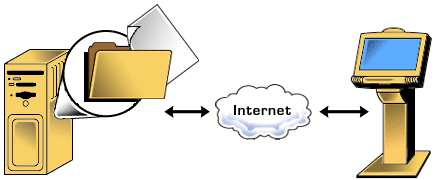
KDNA Host is the main controller of the kiosk; it establishes communications and monitors the
functions and peripherals of the kiosk. It runs as a background task, monitoring the modem port or
a LAN TCP/IP port, awaiting remote administration. Also, at a predetermined time it connects with
an FTP server to download the latest content for the kiosk.
KDNA Host can manage any type of media located anywhere on the kiosk. With it’s own scripting commands and decoding engine along
with the ability to process VBScript scripts, the KDNA architecture is extensible and scalable.The
application can download / upload files, run SQL statements, and process data for SQL updates.
KDNA Host can be configured for use with any kiosk hardware configuration.
Features
File Transfer
 Full file transfer ability from the Kiosk DNA server. KDNA utilizes SmartFTP technology to
download only files that either don’t already exist on the kiosk, or new versions of the files that
are already on the kiosk. Also, checksums can be checked for high priority files Full file transfer ability from the Kiosk DNA server. KDNA utilizes SmartFTP technology to
download only files that either don’t already exist on the kiosk, or new versions of the files that
are already on the kiosk. Also, checksums can be checked for high priority files
Upload any media or data file from the kiosk to the FTP server
Create, delete, copy, and rename files and directories
Local Administration
Continuously monitors all operational events on the Kiosk PC
Monitors the status and health of all peripherals, i.e. touch screen, keyboard, printer, etc
Uses the registry to store configuration values remaining independent of kiosk display
program database, KDNA Host can also create and update registry keys
Contains a proprietary scripting engine and scripting commands for many functions
Process VBScript files for complex operations
Access server-side variables such as kiosk unique identifier, store number, etc.
Remote Administration
Integrated web access lets staff log on to any kiosk and perform functions such as forcing a
reboot or content update, viewing the kiosk logs & configuration files, and modifying the
configuration files of the kiosk. This can be done through a web browser or a telnet session.
Monitor modem communication port for incoming requests for remote administration
Generate custom files from the kiosk to be uploaded to KDNA Server
Error Handling
KDNA Host maintains an extensive application and error log
Sends email notification of errors to appropriate personnel
Allows for use of remote management software to establish remote control sessions when
full PC control is needed
Able to be updated by CDROM if necessary at kiosk location
|